



First page III Features
 |
Features, bug fixes and general enhancements in First Page 2006 |
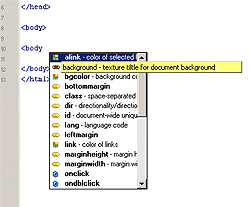 |
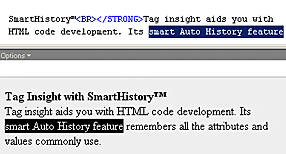
Tag Insight with SmartHistory™ Tag insight aids you with HTML code development. Its smart Auto History feature remembers all the attributes and values commonly used. |
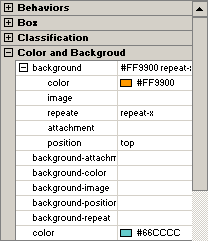 |
CSS Insight with SmartHistory™ CSS insight aids you with CSS code development. It also features SmartHistory to remember previous usage history. |
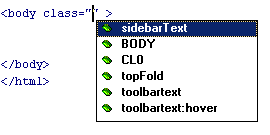 |
CSS Class Support &
Auto Detection First Page automatically detects CSS class styles in documents so you can create CSS pages easier than ever before. |
 |
Advanced Syntax Highlighting First Page 2006 supports HTML, XHTML, PHP, ASP, CFML, CSS, SSI, Perl color syntax highlighting. |
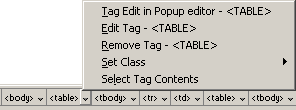 |
Tag Document Selection Tool Select, change, edit, wrap/remove tags, add classes, and make other changes to your document with ease. The document selector bar lets you view the entire document tag hierarchies. |
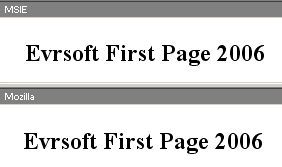 |
Dual Preview Engine |
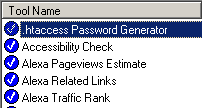 |
Online Webmaster Tools Analyze, scan and check your document in real-time using dozens of powerful online website tools. Submit your website to search engines, check webpage accessibility, validate your documents, check how many other sites link to you, check your search rank and obtain your official website rankings on Alexa and more! |
 |
Tag Property Sheet Inspector with
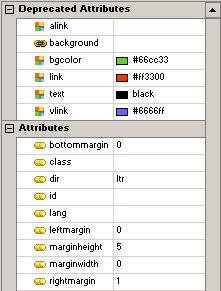
SmartHistory™ Edit and modify tags within your web documents with absolute ease using the tag inspector. Includes Smart History. |
 |
Tag Auto Completion Automatically creates and closes tags to reduce typing repetitions. This option can be turned on/off. |
 |
Design View Engine, Powered by Microsoft® Lets you create, design and edit layouts quickly using the WYSIWYG engine by Microsoft. The MSHTML engine is improved greatly and supports code preservation and advanced table editing features. |
 |
Anti-Intrusive Real-Time Visual Source Rendering Engine™ The Anti-Intrusive RT VisualSRC Rendering engine is the first ever of its kind to simultaneously offer document editing and previewing without the typical code tampering usually seen in WYSIWYG editors, allowing developers to achieve code perfection. The engine works passively to eliminate code junk from being added. It is the WYSIWYG system you've always dreamed about. |
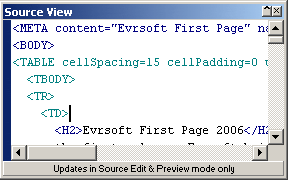 |
Dual Edit System The floating source editing window lets you compare and work in multiple window interfaces at the same time, code changes are updated instantly on both windows. |
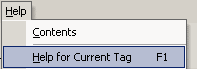 |
One Click Html Reference Guides Get instant help with any tag when editing your web documents via the source window. Simply press F1 for assistance with the tag you need help with. |
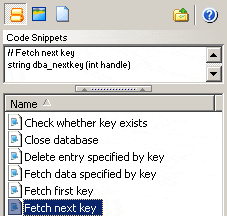 |
Asset Management Lets you manage and re-use commonly used code snippets, colors, tags, images, page templates and more! |
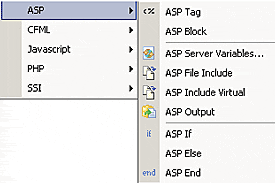 |
Extensive Web Language Support First Page includes tag dialogs and full support for HTML, XHTML, Active Server Pages, PHP, Cold Fusion and Javascript. Utilize the dozens of tag dialogs to make code authoring a whole lot easier. Coding advanced languages has never been this easy. |
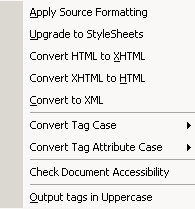 |
Tidy HTML Power Tools (updated) Lets you fix, format and convert your html code. Check page accessibility, convert documents from html to xhtml (vice-versa), convert html pages to CSS, fix common page errors, clean up Microsoft exported Word documents, convert page encoding types and perform dozens of other tasks. Generate and output web standard code. Developed by the W3C. |
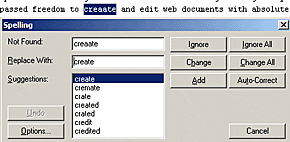 |
Document Checking Tools Check links, web page accessibility and analyze document transfer speeds. An integrated spell checker, thesaurus and word counting tool is also included. |
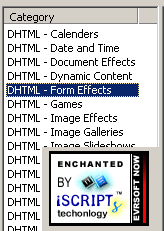 |
iScripts™ Insert and use over 1000+ available Instantz scripts. iScripts allow you to add interactive Javascript & DHTML scripts into web documents with ease. Add interactive functions into your web document without ever learning advanced web programming languages. |
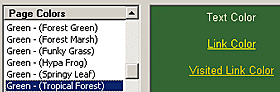 |
Page color themes Spruce up your website colors and instantly choose from dozens of different page color scheme selections. |
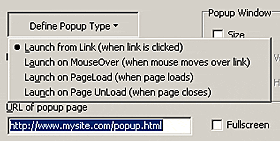 |
Popupmaker Deluxe Lets you create advanced popup windows painlessly! |
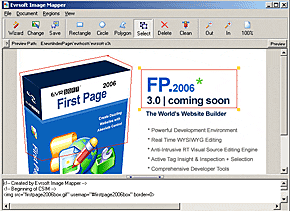 |
Image Mapper Create clickable image regions with support for link hints and onEvents. |
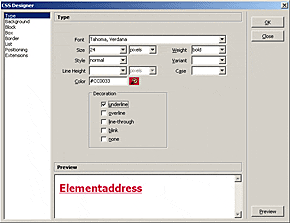 |
CSS Style Sheet Designer Lets you utilize every CSS object to create next generation CSS compatible web pages using a simple and easy to follow wizard. |
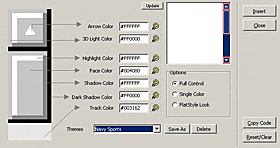 |
Scrollbar Designer Lets you design amazing scrollbar colors for your web documents, choose from dozens of pre-made themes. |
 |
Powerful Server Side Includes Support Insert SSI includes and watch the included pages appear in the preview tab. Ditch your local web server because First Page now renders/previews SSI includes internally. |
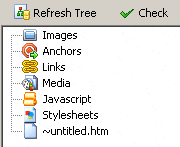 |
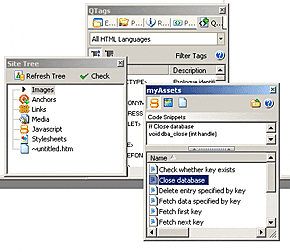
Sitetree/ Link Checking Tool Shows you broken/valid links to ensure there are no 404/broken links on your websites. With Sitetree, you can view the entire infrastructure/hierarchy of your website and access any object instantly by clicking on it. |
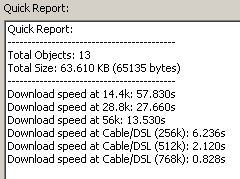 |
Analyze Document/Page Estimation Tool Lets you analyze how large and long your web documents take to load on other speed connections. Analyze document sizes, see individual object statistics, estimate downloads on all connection speeds. Create reports to see all the objects and how they affect the download times on your overall web document. |
 |
Extendable Toolbars and Interface Move, drag, merge toolbars and sidebars in this OfficeXP-type interface. |
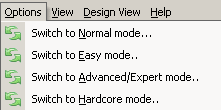 |
Interface Designed for All Over 3 interfaces editions - easy, expert, hardcore. Suits all webmasters, whether you're just a buddy or professional developer/webmaster, everyone can create dazzling pages using the latest web languages with Evrsoft First Page 2006. |
| File Management Tools Copy, delete, view, edit, move and link documents/objects using the file explorer tab. Managing local files has never been so easy! |
|
| Image Thumbnails View image assets on your local system via thumbnail mode. Select and add multiple images to your website quickly and easily. Handy for those who need to add lots of images to their web documents at once, e.g. Photo album, image sites, etc. |
|
| Rollover Images Lets you create images that change when the mouse rolls over. Supports all browsers including IE, Mozilla, Opera and Firefox. |
|
| Internet explorer preview integration Preview your web documents in Microsoft Internet Explorer within the program interface. |
|
| Netscape® Mozilla preview integration Preview your web documents in Mozilla within the program interface. |
|
| Powerful, Enhanced IDE Interface. Hundreds of bug fixes, modifications have been performed with over 1000+ hours testing time to ensure web developers feel comfortable with access to every tool they need, quickly and easily. |
|
| Powerful FTP client Lets you upload/download web documents and entire web page directories. The ftp client supports CHMOD, ability to view permissions, upload/download multiple items/directories, manages multiple ftp sites, edit page from remote FTP sites and more. |
|
| Extended Find & Replace In Files The integrated fast search and replace engine, lets you find and replace text in thousands of files. Final results are then displayed within the IDE so you can make further changes if required. |
|
| Photo Album Gallery Generator Create fantastic web photo albums/thumbnails! You can define your own headers, footers, number of columns/rows per page, define thumbnail sizes, choose from various picture formats (GIF, PNG, JPG) to create fantastic looking thumbnail galleries. |
|
Related
 Overview
 |